Introduction
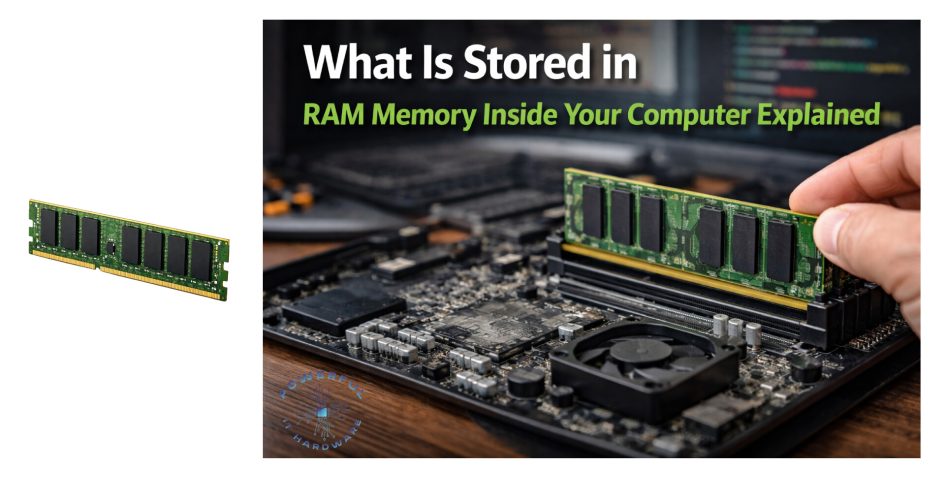
In the rapidly evolving landscape of modern technology, the performance of computing devices hinges on the efficiency of their internal components. Among these, Random Access Memory (RAM) serves as the critical bridge between the processor and long-term storage, ensuring that data is processed with minimal latency. For businesses, IT procurement managers, and wholesalers, understanding what is stored in RAM memory is not merely a technical detail but a strategic necessity when configuring systems for bulk deployment.
As we look toward the hardware trends of 2025 and 2026, market analysis projects a significant shift in memory requirements. With the rise of resource-intensive applications and the broader adoption of Windows 11, the standard baseline for memory capacity is increasing. Industry reports suggest that by 2026, the average enterprise workstation will require a minimum of 16GB to 32GB of RAM to handle multitasking workflows efficiently. For wholesalers and custom solution providers, this presents a unique opportunity to offer tailored memory configurations that meet specific operational needs, ensuring optimal performance and cost-efficiency for their clients.
Understanding the specific nature of what is stored in RAM memory allows buyers to make informed decisions about customization. Whether upgrading legacy systems or specifying new builds for a corporate rollout, knowing that RAM holds active application data, operating system instructions, and temporary cache files helps in selecting the right modules. Furthermore, recognizing what is the RAM of my computer capable of handling allows businesses to future-proof their investments, avoiding bottlenecks that can hinder productivity. This guide will delve into the intricacies of RAM storage, offering valuable insights for wholesale buyers and industry professionals looking to leverage hardware capabilities for competitive advantage.
1. Why Is RAM Critical for Modern Computing Performance?
Random Access Memory (RAM) functions as the high-speed workspace within a computer, facilitating rapid data access that far exceeds the capabilities of traditional storage drives. When a processor executes tasks, it requires immediate access to specific data sets and instructions, which are housed in RAM to prevent delays caused by mechanical limitations in hard drives or even the slower latency of SSDs. For wholesale distributors and system integrators, emphasizing the importance of high-speed RAM is crucial when proposing solutions to clients who rely on real-time data processing, such as financial firms or creative agencies.
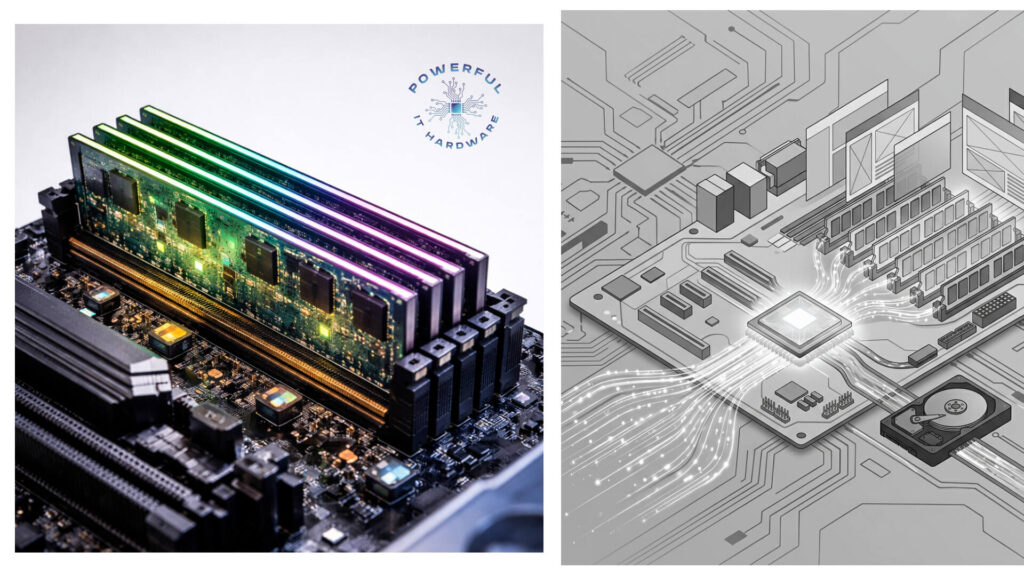
The urgency for upgraded memory is driven by the increasing complexity of software environments. Modern operating systems and professional applications consume significantly more memory than they did just five years ago. What is stored in RAM memory directly influences the user experience; if the capacity is insufficient, the system is forced to offload data to the hard drive, a process known as swapping, which drastically slows down performance. In a B2B context, ensuring that workstations have adequate RAM prevents productivity losses, making it a key selling point for customized PC builds.
Market insights from late 2024 and early 2025 indicate a robust growth trajectory for the DRAM market, fueled by the proliferation of AI-driven applications and cloud computing workstations. As businesses integrate more sophisticated software tools, the question of what is the RAM of my computer capable of becomes central to IT strategy. Wholesalers can capitalize on this trend by stocking a diverse range of memory modules, from standard DDR4 to the latest DDR5, ensuring they can meet the specific customization requests of various industry sectors.
Furthermore, the role of RAM extends beyond simple speed; it is about maintaining system stability under heavy loads. For sectors like data entry or customer support, where dozens of browser tabs and applications may remain open simultaneously, what is stored in RAM memory includes the active state of all these programs. Providing clients with customized, high-capacity memory solutions ensures that their operations remain fluid and interruption-free, thereby enhancing the value proposition offered by hardware vendors.
1.1. How Does RAM Manage Active Application Data?
RAM is specifically designed to handle the volatile data that applications need to function while they are open. When a user launches a program, the essential code, libraries, and data required for its operation are loaded into RAM. This includes everything from the text currently being typed in a document to the complex geometry being rendered in a 3D design tool. For businesses involved in bulk computer supplies, understanding this mechanism is vital for recommending the correct memory specifications for different professional use cases, such as graphic design versus administrative work.
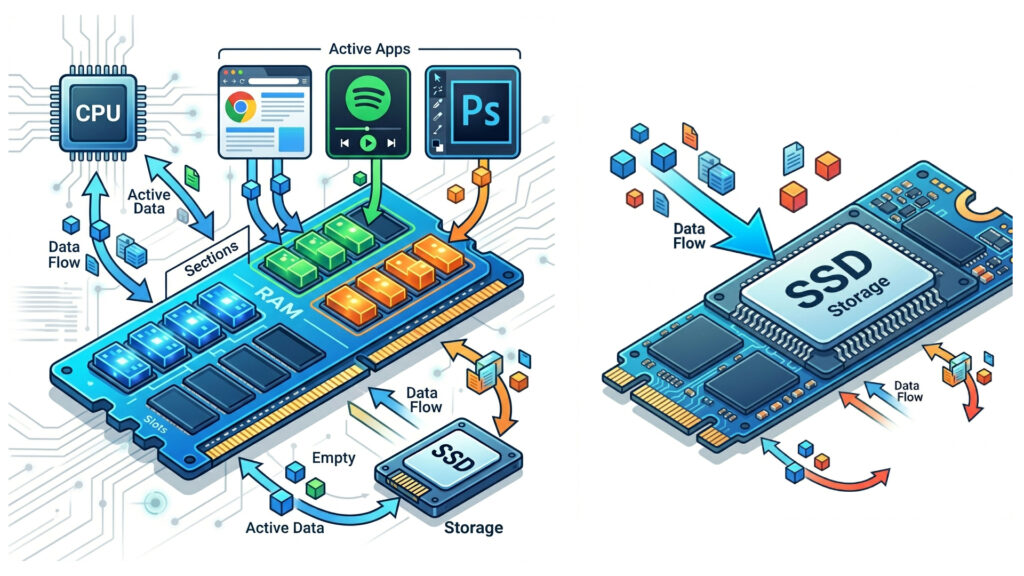
The efficiency with which RAM manages this data dictates the responsiveness of the system. When what is stored in RAM memory includes the active footprint of heavy software like Adobe Premiere Pro or CAD tools, the speed and bandwidth of the memory modules become critical factors. Customization plays a significant role here; a wholesale buyer can specify high-frequency, low-latency RAM for performance-oriented builds, while opting for standard capacity modules for general-purpose office machines, optimizing the budget for their clients.
Recent statistics show that application memory demands have grown by over 30% since 2023, a trend expected to continue through 2026 as software becomes more feature-rich. Consequently, when a client asks, what is the RAM of my computer going to need for future software updates, suppliers must be ready with answers that account for this growth. By offering scalable memory solutions that allow for easy upgrades, wholesalers provide their clients with a flexible path to adapt to increasing software demands without requiring a complete system overhaul.
Additionally, the management of active application data involves sophisticated memory controllers that prioritize critical tasks. In a multi-user environment or a server context, what is stored in RAM memory must be allocated efficiently to prevent bottlenecks. For custom PC builders targeting the B2B sector, offering solutions with error-correcting code (ECC) memory can be a compelling differentiator for clients in sectors where data integrity is paramount, such as scientific research or financial modeling.
1.2. Which Operating System Instructions Are Kept in RAM?
A substantial portion of what is stored in RAM memory is dedicated to the operating system (OS) itself. The kernel, which is the core of the OS, resides in RAM to manage hardware resources and system services efficiently. This includes drivers for peripherals, network protocols, and file system management structures. For wholesale vendors, understanding that the OS footprint consumes a significant base amount of memory is essential when configuring minimum specifications for bulk orders, ensuring that the hardware leaves enough headroom for third-party applications.
When a computer boots up, the critical files required to start the system are loaded from the storage drive into RAM. This process ensures that the CPU can fetch instructions instantly, leading to a smooth user experience. As operating systems like Windows 11 and various Linux distributions evolve, their memory footprints have expanded. By 2025, it is estimated that a base OS installation with background services can occupy anywhere from 4GB to 8GB of RAM. This reality must be communicated to clients asking what is the RAM of my computer actually doing when idle, highlighting that background processes are essential for system readiness and security.
For businesses focused on customization, selecting the right memory capacity involves balancing the OS requirements with the needs of productivity software. If what is stored in RAM memory is predominantly occupied by the OS and background security suites, the user may experience slowdowns when attempting to launch additional applications. Wholesale suppliers can guide their clients toward higher-capacity modules, such as 16GB or 32GB kits, to ensure that the OS overhead does not encroach upon the resources available for active work.
Moreover, virtual memory management allows the OS to use the hard drive as an extension of RAM when physical memory is exhausted. However, relying on this mechanism negatively impacts performance. In a B2B setting, where time is money, ensuring that what is stored in RAM memory fits entirely within the physical modules is a priority. Custom builds that prioritize sufficient RAM for OS instructions and background tasks result in more stable and reliable machines, reducing long-term maintenance costs for the end-user.
1.3. Why Is Temporary Cache and Buffer Storage Essential?
Beyond active applications and OS instructions, what is stored in RAM memory includes a significant amount of temporary cache and buffer data. Caches are high-speed data storage layers that store frequently accessed information to accelerate future requests. For example, web browsers cache images and scripts from visited websites so that they load faster upon revisiting. In a wholesale context, explaining the benefits of faster RAM for cache management can help justify the investment in premium modules to clients who prioritize workflow efficiency.
Buffers, on the other hand, are used to hold data temporarily while it is being moved from one place to another, such as streaming video or audio. If the RAM is too slow or too small to handle these buffers, users will experience stuttering or buffering lag. With the rise of high-definition video conferencing in the post-2020 corporate world, ensuring that what is stored in RAM memory can accommodate these data streams is critical. Custom PC builds for remote workers should therefore emphasize memory capacity and speed to ensure seamless communication.
Industry trends for 2025 suggest that data processing speeds are becoming a competitive differentiator for businesses. As companies analyze what is the RAM of my computer doing during peak loads, they realize that efficient cache handling reduces the strain on the CPU. Wholesalers can leverage this insight by marketing high-performance RAM kits as a way to boost overall system throughput, appealing to clients who require high-speed data processing for analytics or real-time trading.
Furthermore, the concept of prefetching involves the OS loading data it expects the user to need next into RAM before it is actually requested. This anticipatory behavior relies heavily on having free memory space available. If the memory is cluttered with unnecessary data, the effectiveness of prefetching diminishes. For customization experts, this reinforces the argument that larger RAM capacities lead to smarter system behavior, ultimately enhancing the user experience. Ensuring that what is stored in RAM memory is optimized through ample capacity allows these predictive algorithms to function correctly, providing a smoother and more intuitive computing experience.
2. How Does RAM Capacity Affect Wholesale Procurement Strategies?
For wholesale buyers and IT procurement managers, determining the right amount of RAM is a strategic decision that impacts both the initial cost and the long-term viability of the fleet. What is stored in RAM memory varies by user role, and a “one-size-fits-all” approach rarely yields the best return on investment. Procurement strategies must analyze the specific workflows of the end-users to balance performance needs with budget constraints. By 2026, analysts predict a stratification in procurement standards, with entry-level corporate units standardizing on 16GB while power-user stations move toward 32GB or 64GB.
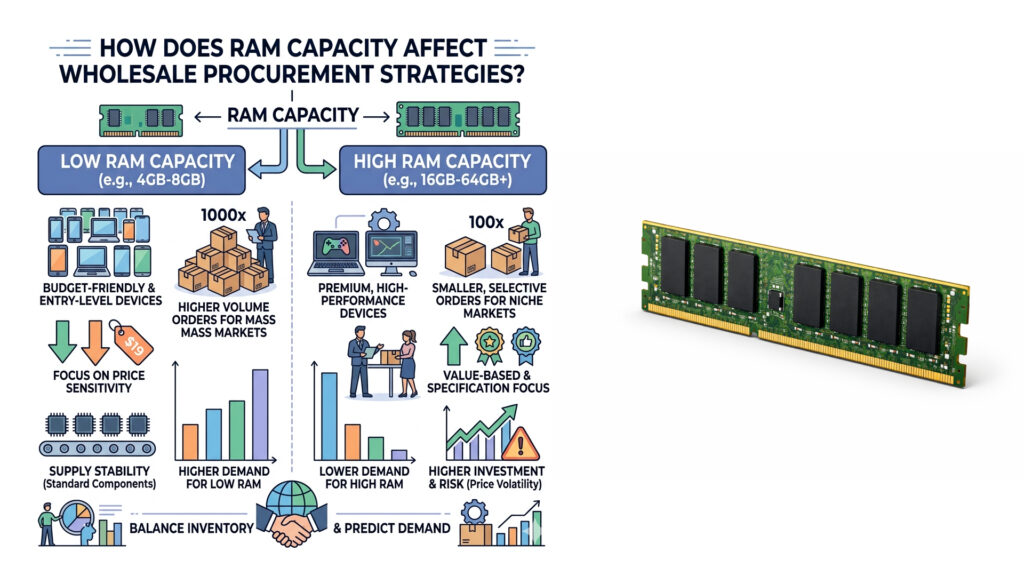
Understanding what is the RAM of my computer intended for allows wholesalers to bundle appropriate configurations. For instance, a batch of computers intended for a call center may function perfectly with 8GB or 16GB, as their tasks are primarily text and voice-based. Conversely, systems designated for a marketing team involved in video editing will require significantly more. Wholesale suppliers can add value by offering consultation on these specifications, ensuring that their clients purchase hardware that matches their actual usage patterns rather than overspending on unnecessary specs or underspending and causing bottlenecks.
The volatility of the memory market also plays a role in procurement strategy. Prices for DRAM can fluctuate based on supply chain disruptions and technological shifts, such as the transition from DDR4 to DDR5. Forward-thinking businesses track these trends to time their bulk purchases effectively. When planning inventory, wholesalers must consider that what is stored in RAM memory today will likely require more space tomorrow. Stocking up on older, cheaper technology might save money in the short term but could lead to higher total cost of ownership if those systems need premature replacement.
Moreover, customization options allow wholesalers to offer flexible solutions. Instead of pre-built, non-upgradable units, offering systems with accessible RAM slots enables businesses to upgrade incrementally. This modularity is a strong selling point for B2B clients who want to extend the lifecycle of their hardware. By educating clients on how what is stored in RAM memory grows with software complexity, wholesalers can position themselves as long-term partners in their clients’ IT infrastructure, rather than just one-time vendors.
2.1. Which Types of RAM Are Best Suited for Custom Business Builds?
When selecting components for custom business builds, the type of RAM is as critical as the capacity. The current market is transitioning from DDR4 to DDR5, with the latter offering significantly higher bandwidth and improved power efficiency. For wholesale buyers, understanding the distinction is key to recommending the right technology. What is stored in RAM memory can be accessed much faster with DDR5, making it ideal for data-intensive tasks. However, DDR4 remains a cost-effective solution for general office work, allowing businesses to maximize their hardware budget across a large number of workstations.
ECC (Error-Correcting Code) RAM represents another important distinction for specific sectors. This type of memory detects and corrects data corruption, which is vital for servers and workstations handling mission-critical data. When a client asks what is the RAM of my computer lacking if errors occur, the answer often points to the absence of ECC. Wholesalers catering to the scientific, financial, or engineering sectors should prioritize ECC memory in their product offerings to differentiate themselves from consumer-focused suppliers.
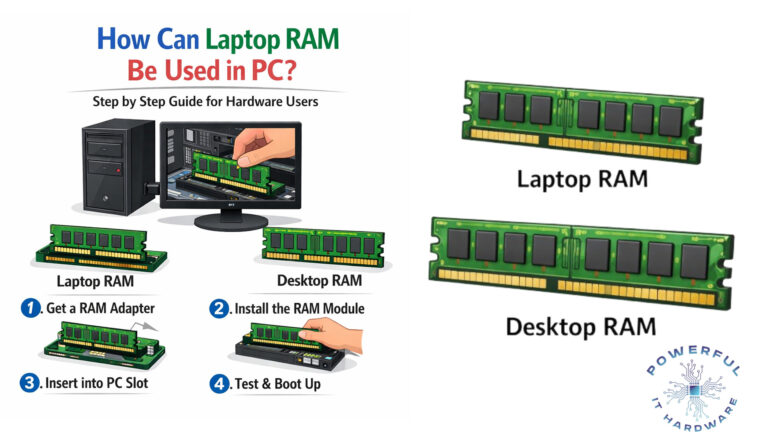
Customization also extends to the form factor. While standard DIMM slots are common in desktops, Small Outline Dual In-line Memory Modules (SODIMM) are required for laptops and mini-PCs. A comprehensive wholesale strategy includes stocking both form factors to serve diverse client needs. As the trend toward smaller, more powerful form factors accelerates in 2025, ensuring that what is stored in RAM memory in compact devices matches the performance of full-sized towers is a technical challenge that high-density SODIMMs are designed to solve.
Finally, the aesthetics of RAM, such as heat spreaders and RGB lighting, while often dismissed in enterprise contexts, can be relevant for client-facing industries or design firms. While performance is paramount, the physical appearance of components can contribute to a brand image for creative agencies. Wholesalers offering a range of options, from utilitarian bare modules to premium heatsink-equipped units, can better cater to the specific branding and environmental requirements of their B2B customers.
2.2. Why Should Businesses Consider Future-Proofing Their Memory Investments?
Technology lifecycles are shortening, and software requirements are expanding at an unprecedented rate. Investing in higher RAM capacity today is a form of insurance against future obsolescence. What is stored in RAM memory in 2025 will likely consume double the space it did in 2023 due to “feature creep” in software updates. Businesses that opt for the minimum required memory now often find themselves needing to upgrade within 18 to 24 months, incurring additional labor and downtime costs. Wholesale advisors play a crucial role in illustrating this trajectory to their clients.
The concept of future-proofing is particularly relevant when considering the total cost of ownership (TCO). A computer with 32GB of RAM may cost 15-20% more than a 16GB variant, but it can remain viable for 2-3 years longer. For large organizations, this extended lifespan significantly reduces the amortized cost per year. When clients inquire about what is the RAM of my computer going to need for Windows 12 or future enterprise software releases, the answer often suggests that over-provisioning memory is a safer financial bet than under-provisioning.
Market forecasts for 2026 indicate that AI integration in operating systems and office suites will become standard. These AI features run locally to ensure privacy and speed, consuming considerable memory resources. If what is stored in RAM memory is already maxed out by current applications, the system will struggle to run these new features. Wholesalers who encourage their clients to adopt higher-capacity memory now are helping them prepare for this imminent wave of AI-capable productivity tools.
Furthermore, the secondary market value of computers with higher RAM is significantly better. Businesses that lease their equipment or plan to resell it after three years will find that well-spec’d machines retain a higher percentage of their original value. Custom configurations that prioritize ample RAM ensure that the hardware remains attractive to secondary buyers. Thus, the initial higher expenditure on memory is often recouped at the end of the hardware lifecycle, making it a financially sound decision for cost-conscious procurement officers.
2.3. How Can Customization Optimize Performance for Specific Industry Needs?
Generic off-the-shelf computers often fail to meet the precise demands of specialized industries. Customization allows for the fine-tuning of hardware to match specific workflows, with RAM being one of the most impactful variables. For example, in the architecture and engineering sectors, what is stored in RAM memory includes massive 3D models and texture files. Systems tailored for these professionals require high-bandwidth memory to prevent lag during rendering, directly impacting billable hours and project turnaround times.
In the financial sector, where high-frequency trading and real-time data analysis are paramount, low latency is the priority. Custom builds for this industry often utilize RAM with tighter timing tables to ensure that data is available to the CPU the nanosecond it is needed. Wholesalers serving this niche must understand that what is the RAM of my computer capable of is defined not just by size, but by speed. Providing specialized, low-latency memory modules can be a key value-add for these high-performance clients.
Conversely, the education sector often requires rugged, cost-effective hardware with sufficient memory for virtual classrooms and web-based learning tools. Here, the focus is on reliability and adequate capacity rather than bleeding-edge speed. A wholesale supplier can customize deployments for school districts by balancing cost with durability, ensuring that what is stored in RAM memory can handle multiple simultaneous browser tabs and educational software without crashing.
Healthcare is another industry where customization is critical. Electronic Health Records (EHR) systems and medical imaging software require stable, responsive memory. Errors or delays in accessing patient data can have serious consequences. By offering validated memory configurations that are certified for compatibility with specific medical software, wholesalers can provide peace of mind to healthcare providers. Understanding exactly what is stored in RAM memory within these sensitive environments helps in recommending solutions that prioritize data integrity and compliance with industry regulations like HIPAA.
Conclusion
In the complex ecosystem of computer hardware, RAM stands out as a vital determinant of system performance and user productivity. We have explored what is stored in RAM memory, ranging from active application data and operating system instructions to temporary caches and buffers. For wholesale buyers and IT professionals, grasping these concepts is essential for making informed procurement decisions that align with both current needs and future technological advancements. As we move through 2025 and toward 2026, the increasing demands of AI and complex software make adequate memory capacity more important than ever.
Understanding what is the RAM of my computer capable of is no longer just a technical question; it is a business imperative. Customization allows organizations to tailor their hardware investments to specific industry requirements, ensuring that every dollar spent contributes directly to operational efficiency. Whether future-proofing an enterprise fleet or optimizing a high-performance workstation, the right memory configuration serves as the foundation of a robust IT infrastructure.
To stay ahead in a competitive market, businesses must partner with suppliers who not only provide components but also offer strategic insight into hardware trends. By prioritizing RAM in system builds and upgrades, companies can ensure seamless multitasking, faster data processing, and a longer lifespan for their computing assets. We encourage procurement managers and business owners to review their current hardware specifications and consider how upgrading their memory solutions can drive significant improvements in their daily operations. Contact us today to explore our wholesale customization options and secure the performance your business needs to thrive.
Frequently Asked Questions
1. What is stored in RAM memory compared to a hard drive?
RAM stores data that is actively being used by the CPU, such as open applications, running processes, and the operating system kernel. Unlike a hard drive or SSD, which provides long-term storage, RAM is volatile, meaning it holds data only while the computer is powered on. When you ask, “what is stored in RAM memory,” think of it as a digital workspace where current tasks are performed, whereas the hard drive acts as a file cabinet for permanent storage.
2. How does what is stored in RAM memory affect business productivity?
The data kept in RAM dictates how quickly a computer can switch between tasks and process information. If the RAM is insufficient to hold all active programs, the system slows down as it forces the hard drive to compensate. For businesses, this translates to lost time and frustrated employees. Ensuring that what is stored in RAM memory fits entirely within the physical capacity ensures smooth workflows, making high-capacity memory a crucial investment for wholesale procurement.
3. Why is knowing what is the RAM of my computer important for upgrades?
Knowing the current RAM specifications is essential for determining compatibility and upgrade paths. If a user asks, “what is the RAM of my computer,” they need to identify the type (DDR4 vs. DDR5), speed, and form factor (DIMM vs. SODIMM). For B2B clients, this knowledge allows IT managers to plan bulk upgrades effectively, ensuring that new modules are compatible with existing motherboards and that the upgrade yields a measurable performance boost.
4. Which type of RAM is best for wholesale customization in 2025?
For 2025, DDR5 is becoming the standard for high-performance business builds due to its superior bandwidth and energy efficiency. However, DDR4 remains a cost-effective option for standard office workstations. When deciding what is stored in RAM memory for your clients, consider their specific needs: power users handling data analysis will benefit from DDR5, while general administrative roles may not require the added expense, allowing for a tiered customization strategy.
5. How much RAM is needed for typical business tasks in 2026?
Industry insights for 2026 suggest that 16GB will be the new baseline for enterprise workstations, with 32GB becoming standard for multitasking professionals. What is stored in RAM memory is expanding due to heavier operating systems and resource-intensive background applications. Wholesale buyers should prioritize 16GB configurations as a minimum to ensure longevity, while offering 32GB or 64GB options for clients in creative or technical fields.
6. Why does what is stored in RAM memory disappear when the computer turns off?
RAM is volatile memory, relying on a constant flow of electricity to maintain the data stored within its cells. Once the power is cut, the electrical charges holding the data dissipate, clearing the memory. This is why permanent storage on drives is necessary. In a B2B context, understanding this volatility reinforces the need for reliable storage solutions alongside robust RAM, ensuring that what is stored in RAM memory during a work session is properly saved to non-volatile memory before shutdown.
7. How can I check what is the RAM of my computer is actually being used for?
Users and administrators can utilize built-in tools like Task Manager in Windows or Activity Monitor in macOS to see real-time memory usage. These tools break down exactly what is stored in RAM memory, listing the memory consumption of each running process. For businesses managing large fleets, monitoring this data helps identify when employees are hitting hardware limits, providing a data-driven basis for upgrading memory to maintain productivity.
8. What are the risks of not having enough RAM for business operations?
Insufficient RAM forces the computer to use the hard drive as “virtual memory,” which is significantly slower. This bottleneck causes applications to freeze, delays in saving files, and general system sluggishness. If a company ignores the question of “what is stored in RAM memory” and under-specs their hardware, they face increased downtime and higher total cost of ownership due to lost productivity. Ensuring adequate RAM is a proactive measure to avoid these operational risks.
9. How does ECC RAM differ from standard RAM regarding what is stored in RAM memory?
ECC (Error-Correcting Code) RAM includes additional memory bits that detect and correct data corruption in real-time. While standard RAM is fine for most consumer uses, what is stored in RAM memory in servers or financial workstations often involves critical calculations where a single data error could be catastrophic. Wholesale suppliers should recommend ECC memory for mission-critical B2B deployments to ensure data integrity and system stability.
10. Can wholesale buyers customize RAM configurations to fit specific budgets?
Absolutely. Customization is a key advantage of working with specialized wholesalers. By analyzing what is stored in RAM memory for different user roles, businesses can tailor specifications to fit exact budget requirements. For example, a bulk order might include high-capacity RAM for developers and standard capacity for customer service reps. This flexible approach ensures that clients only pay for the performance they need, maximizing the value of their hardware investment.