Understanding the compatibility between memory modules is critical for system builders, IT procurement managers, and wholesale hardware distributors. The question of whether one can use laptop RAM in a desktop is frequently asked by those managing diverse inventory pools or attempting to retrofit existing components. This guide provides a comprehensive analysis of physical and electrical constraints, ensuring that businesses and professionals make informed decisions when sourcing computer RAM memory types. Can i use laptop ram in desktop considerations are especially important when dealing with mixed inventories or upgrading older systems. By addressing the nuances of form factors and market trends, we aim to clarify why distinct memory lines exist for mobile and stationary platforms.
For wholesale buyers and custom solution providers, the distinction between laptop and desktop memory is not merely a technical detail but a logistical necessity. Mixing these components can lead to hardware failure and increased return rates, impacting profitability. As we move through 2025 and into 2026, the market demand for precise memory allocation continues to grow, driven by the rise of AI-integrated workstations and compact form factor PCs. This guide explores the “why,” “how,” and “which” of RAM compatibility to optimize your procurement strategies and technical implementations.
1. Why Physical Form Factors Prevent Direct Compatibility
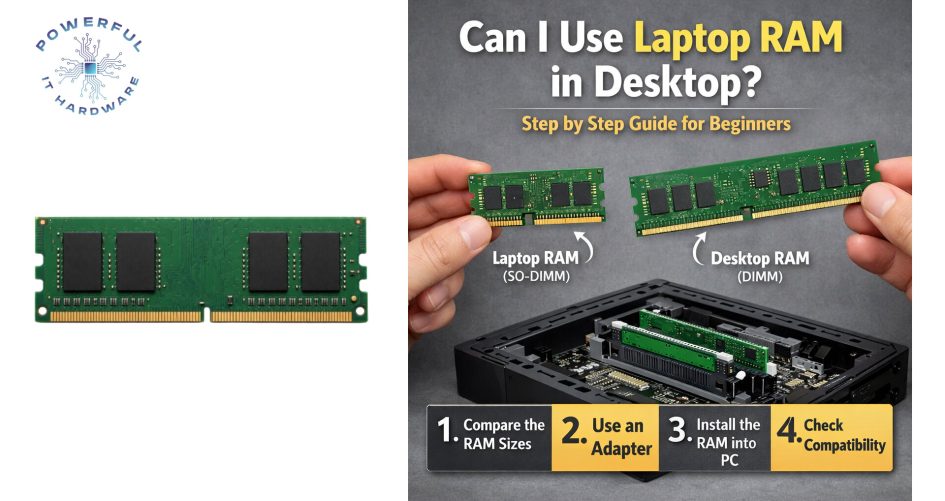
The primary reason that a user cannot simply insert laptop memory into a desktop motherboard is the difference in physical form factors. Laptop memory, technically known as SO-DIMM (Small Outline Dual In-Line Memory Module), is significantly smaller than the standard DIMM (Dual In-Line Memory Module) used in desktops. The SO-DIMM is roughly half the width of a desktop module, measuring about 2.66 inches wide compared to the desktop’s 5.25 inches. This size discrepancy is intentional, designed to fit within the slim chassis of portable computers where space is at a premium. Consequently, the notches on the connection pins are located in different positions, physically preventing the incorrect insertion of the module into the wrong slot.
Attempting to force a laptop RAM stick into a desktop slot, or vice versa, carries a high risk of permanent damage to the memory slot and the module itself. For businesses managing inventory, this physical incompatibility necessitates strict segregation of stock lines to prevent accidental misallocation during assembly or distribution. It is essential to recognize that while the underlying technology may appear similar, the physical interface is engineered for specific environments. Ignoring these physical constraints results in broken hardware and voided warranties, which is a critical consideration for any customization or repair facility.
From a wholesale perspective, the distinct form factors require separate stocking strategies and clear labeling systems. Distributors must ensure that their clients can easily differentiate between SO-DIMM and DIMM packages to streamline the supply chain. The manufacturing processes for these two types also differ, with SO-DIMMs often requiring more compact component placement to manage heat density within laptops. As the market for mini-PCs and All-in-One systems grows, the line between form factors can seem blurred, but the physical compatibility remains strictly defined by industry standards.
Furthermore, the question of “can I use laptop RAM in desktop” is often answered negatively purely by these physical dimensions. Even if an adapter were hypothetically used, the airflow and mounting mechanisms in a standard desktop chassis are not designed to secure the smaller modules securely. This lack of physical security can lead to dust accumulation, poor contact, and eventual system failure. Therefore, maintaining separate inventories for laptop and desktop upgrades is the only viable approach for professional system integrators and resellers looking to maintain high reliability standards.
2. How Voltage and Electrical Specifications Impact Integration
Beyond physical size, the electrical characteristics of laptop and desktop RAM present another significant barrier to compatibility. Laptop memory modules typically operate at lower voltages, usually around 1.2 volts for DDR4 or LPDDR (Low Power DDR) standards, to conserve battery life and reduce heat generation. In contrast, standard desktop RAM has historically operated at higher voltages, such as 1.5 volts for older DDR3 modules, although modern DDR5 has standardized closer to 1.1 volts. However, the motherboard’s memory controller is tuned to expect a specific voltage range for signaling, and deviating from this can lead to instability or failure to boot.
When a user considers swapping modules, they must understand that the motherboard regulates power based on the expected memory type. If a lower voltage laptop module is installed in a desktop that expects a higher voltage signal, the system may fail to recognize the memory or fail to post. Conversely, supplying too much voltage to a component designed for low power consumption can cause overheating and permanent damage to the memory chips. For B2B buyers and custom PC builders, ensuring that the voltage requirements of the memory match the motherboard’s specifications is a fundamental step in quality assurance.
The complexity of electrical compatibility is compounded when dealing with computer RAM memory types that support multiple voltage profiles. Some desktop motherboards offer settings to adjust voltage, but this does not bridge the gap between the fundamentally different electrical designs of SO-DIMM and DIMM architectures. Professionals involved in procurement must pay close attention to the datasheets provided by manufacturers, ensuring that the power delivery subsystems of the target devices are compatible with the selected memory modules. This attention to detail prevents costly field failures and ensures the longevity of the deployed systems.
Moreover, the signal integrity and trace lengths on the motherboard are optimized for specific memory types. Laptop motherboards have shorter trace lengths designed for the SO-DIMM form factor, while desktop boards are laid out for standard DIMMs. This impacts signal timing and synchronization, meaning that even if one could overcome the physical and voltage hurdles, the electrical signaling would likely be erratic. For wholesale suppliers, highlighting these electrical distinctions in product descriptions helps customers make the right purchasing decisions, thereby reducing return rates and enhancing customer satisfaction.
3. Which Computer RAM Memory Types Are Essential for Bulk Inventory
Identifying the correct computer RAM memory types is paramount for maintaining a competitive and relevant inventory in the wholesale market. As of 2025, the industry has largely transitioned to DDR4 and DDR5 as the dominant standards, with DDR3 becoming obsolete in enterprise environments. However, within these standards, the split between SO-DIMM (laptop) and UDIMM (Unbuffered DIMM – desktop) remains absolute. For businesses focusing on customization, stocking a balanced ratio of these types is essential to cater to both the corporate laptop sector and the high-performance workstation market.
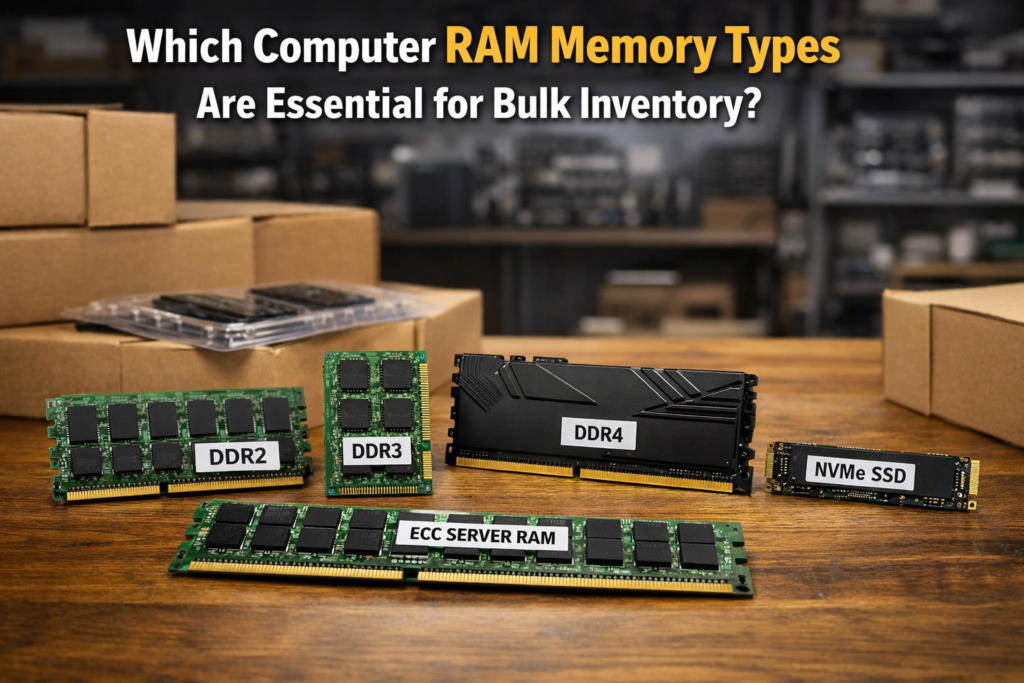
DDR5 currently represents the forefront of memory technology, offering higher bandwidth and better power efficiency compared to its predecessors. By 2026, market insights suggest that DDR5 will capture over 70% of the professional market share as prices stabilize and motherboard adoption becomes ubiquitous. Wholesale buyers should prioritize securing DDR5 SKUs in both form factors to future-proof their inventory. Additionally, the rise of LPDDR5 and LPDDR6 in laptops, which are often soldered onto the motherboard, presents a shift in the laptop upgrade market, reducing the demand for replaceable SO-DIMMs in certain consumer ultra-thin segments but increasing it in the business and gaming laptop sectors.
For custom solution providers, offering ECC (Error Correction Code) memory variants is a value-added service that appeals to server and workstation clients. ECC RAM is available in both laptop and desktop form factors, though it is more commonly found in high-end mobile workstations and servers. Understanding which client bases require ECC versus non-ECC memory allows distributors to tailor their sales pitches effectively. For instance, a client building financial analysis servers will strictly require ECC DIMMs, whereas a general office deployment may opt for standard non-ECC UDIMMs to control costs.
The diversity in computer RAM memory types also extends to speed grades and timings. High-performance gaming or video editing rigs require low-latency, high-frequency modules, while standard office PCs operate efficiently with baseline speeds. In a B2B context, offering a tiered product catalog that ranges from entry-level budget RAM to premium overclocked kits enables suppliers to capture a broader market segment. Keeping abreast of the latest speed grades released in 2025 ensures that your inventory remains attractive to enthusiasts and professionals who demand peak performance from their systems.
4. Why Checking My RAM Remains a Critical Procurement Step
The process of “checking my ram” is not limited to end-users troubleshooting a slow computer; it is a vital protocol for procurement officers and inventory managers. Before placing bulk orders for upgrades or new builds, verifying the specific requirements of the existing hardware fleet is crucial. This verification process prevents the common error of purchasing incompatible memory, which can lead to capital tied up in unusable stock. For managed service providers (MSPs), rigorous checking ensures that the proposed upgrade will yield the expected performance improvements without hardware conflicts.
In a wholesale environment, checking RAM compatibility involves analyzing the chipset limitations of the target motherboards. Not all motherboards support all memory speeds or capacities, even within the same generation (e.g., DDR4). A motherboard might support DDR4 but max out at 2666MHz, rendering a 3200MHz module useless unless it downclocks, or worse, fails to boot. By cross-referencing the hardware compatibility lists (HCL) against the intended purchase, buyers can optimize their spending. This step is particularly important when dealing with legacy systems that may require older, harder-to-find memory types.
The act of checking RAM also extends to verifying the authenticity and quality of the modules received from suppliers. Counterfeit or low-quality memory modules are a persistent issue in the global supply chain. These modules may be labeled with higher capacities or speeds than they actually possess, leading to system instability and data corruption. For businesses, implementing a rigorous quality control process that includes testing memory modules upon receipt is a necessary safeguard. This ensures that the end-users receive reliable products, thereby protecting the reputation of the integrator or reseller.
Furthermore, “checking my ram” serves as a diagnostic tool to assess whether an upgrade is actually necessary. Often, system performance bottlenecks are mistakenly attributed to insufficient RAM when the actual culprit may be a slow storage drive or an outdated CPU. By accurately diagnosing the system’s needs, businesses can recommend appropriate solutions, avoiding unnecessary expenditures. This consultative approach builds trust with clients and positions the supplier as a knowledgeable partner rather than just a box mover, fostering long-term business relationships.
5. How to Source the Correct RAM Modules for Custom Builds
Sourcing the correct RAM for custom builds requires a strategic approach that balances technical specifications with cost-effectiveness and availability. For system integrators, the first step is to define the use case of the final build. A high-end rendering workstation requires vastly different memory compared to a point-of-sale terminal. Once the performance requirements are established, the procurement team can filter potential suppliers based on their ability to provide the specific form factors, speeds, and capacities needed. Building strong relationships with distributors who offer a wide range of computer RAM memory types is essential for quick turnaround times.
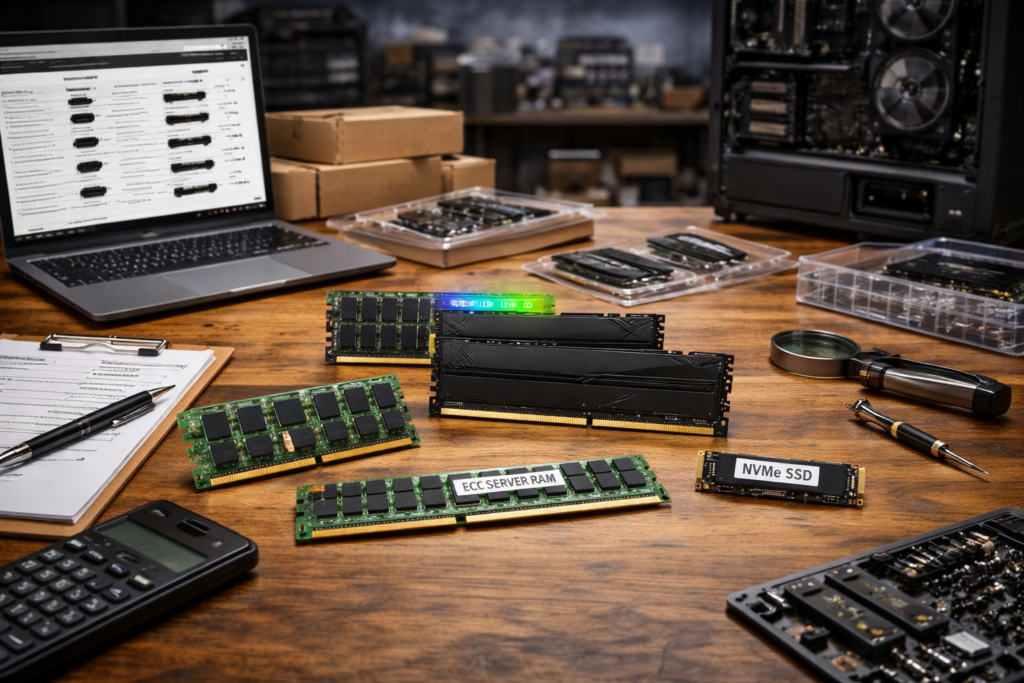
Customization services, such as branding or specific heat-spreader designs, can add significant value to the final product. When sourcing, look for manufacturers that offer OEM services or bulk customization options. This allows businesses to ship memory modules that match the aesthetic branding of the desktop chassis or corporate identity, a feature highly prized in the boutique PC market. In 2025, the trend of customized, silent-performance PCs is driving demand for memory modules with low-profile heat spreaders that fit under large CPU coolers, a detail that must be considered during the sourcing phase.
Logistics and supply chain reliability are also critical factors. The global semiconductor shortage has highlighted the need for diversified sourcing strategies. Relying on a single supplier or region can lead to stockouts that delay production schedules. Smart procurement involves maintaining a buffer stock of critical components and identifying alternative suppliers for key SKUs. For businesses operating on thin margins, negotiating volume discounts and favorable payment terms with suppliers can significantly impact the bottom line, allowing for competitive pricing in the B2B market.
Finally, staying informed about upcoming technology releases is crucial for sourcing. As DDR6 enters the development phase for release in the latter half of the 2020s, prices for current DDR5 modules will eventually decrease. Timing large purchases to coincide with these market fluctuations can result in substantial savings. Additionally, understanding the lifecycle of memory products helps in planning inventory turnover, ensuring that older stock is liquidated before it becomes obsolete. By adopting a forward-looking sourcing strategy, businesses can ensure they always have the right components on hand for their custom builds.
6. Which 2025 and 2026 Market Trends Influence RAM Sourcing Strategies
The memory market is dynamic, with 2025 and 2026 poised to bring significant shifts that influence sourcing strategies. One major trend is the increasing integration of AI capabilities into consumer and enterprise hardware. AI workloads require high-bandwidth memory to process data efficiently, driving up demand for faster DDR5 modules and预示ing a quicker transition to next-generation standards. Sourcing managers must anticipate this shift by gradually increasing the proportion of high-bandwidth memory in their inventory, positioning themselves to meet the needs of AI-driven applications.
Another critical trend is the consolidation of the manufacturing market. A few major foundries produce the vast majority of DRAM chips, which can lead to price volatility based on production yields and capital expenditure decisions of these giants. Industry analysts predict that while prices may stabilize in 2025, geopolitical factors and supply chain constraints could cause fluctuations in 2026. Wholesale buyers must navigate this volatility by utilizing flexible contracts and hedging strategies where possible, ensuring that price spikes do not erode their profit margins.
The rise of the “Internet of Things” (IoT) and edge computing is also reshaping the demand landscape. These applications often require specialized, ruggedized memory modules that can operate in harsh environments. While different from standard desktop RAM, this trend highlights the fragmentation of the memory market. Suppliers who diversify their portfolio to include industrial-grade memory can tap into new, high-growth verticals. Furthermore, the sustainability movement is pushing for greener manufacturing processes, with buyers increasingly preferring memory modules from manufacturers committed to reducing carbon footprints and using recyclable materials.
Finally, the shift towards cloud computing continues to impact the desktop and laptop memory market. As more processing moves to the cloud, the requirements for entry-level desktops may plateau, while the demand for high-performance local workstations for tasks like video editing and 3D modeling remains robust. This bifurcation of the market suggests that sourcing strategies should be two-pronged: maintaining a steady supply of cost-effective, standard memory for the general market, while securing a reliable pipeline of premium, high-performance modules for the enthusiast and professional sectors. Adapting to these trends is key to maintaining relevance in the competitive hardware distribution landscape.
Conclusion
In summary, the question of “can I use laptop ram in desktop” is definitively answered by understanding the fundamental differences in physical form factors and electrical specifications. While the underlying technology of memory storage is similar, the practical implementation differs vastly between mobile and stationary platforms. For businesses and professionals, this distinction is critical to maintaining operational efficiency and ensuring hardware reliability. By adhering to these technical realities, procurement managers and system builders can avoid costly mistakes and optimize their upgrade cycles.
As the industry evolves towards DDR5 and beyond, staying informed about computer ram memory types and market trends becomes indispensable. The focus on wholesale and customization allows businesses to offer tailored solutions that meet specific client needs, whether for high-performance workstations or large-scale corporate deployments. Rigorous processes, such as “checking my ram” for compatibility and authenticity, form the backbone of a robust supply chain strategy, ensuring quality and customer satisfaction.
Looking ahead to 2026, the integration of AI and the continuous evolution of hardware standards will further refine the requirements for memory sourcing. By aligning procurement strategies with these technological advancements, businesses can secure a competitive edge. We encourage all industry professionals to leverage these insights when planning their inventory and to prioritize specificity and quality in their component selection to drive success in the rapidly changing IT landscape.
Frequently Asked Questions
1. Can I use laptop RAM in a desktop computer physically?
No, you cannot use laptop RAM in a desktop computer due to significant physical incompatibilities. Laptop RAM, known as SO-DIMM (Small Outline Dual In-Line Memory Module), is approximately half the width of desktop RAM (DIMM). The notches on the connector pins are positioned differently to prevent insertion into the wrong slot. For wholesale buyers and system integrators, this means maintaining distinct inventory for SO-DIMMs and DIMMs is essential to prevent assembly errors and returns.
2. How do voltage differences affect the question, “can I use laptop RAM in desktop?”
Voltage requirements are a critical factor when asking if you can i use laptop ram in desktop environments. Laptop memory modules typically operate at lower voltages (e.g., 1.2V for DDR4) to conserve battery power, whereas desktop motherboards often supply higher standard voltages. Attempting to power a module with incorrect voltage can lead to system instability, failure to boot, or permanent hardware damage. Procurement managers must ensure the voltage specs of the memory match the motherboard’s capabilities strictly.
3. Which computer RAM memory types are currently standard for bulk purchasing?
The current standard computer ram memory types for bulk purchasing are DDR4 and the rapidly growing DDR5. While DDR4 remains prevalent in legacy systems, DDR5 is expected to dominate the market share by 2026 due to its superior bandwidth and efficiency. Businesses should focus on stocking these modern standards in both SO-DIMM and UDIMM form factors to cater to the latest laptops and desktop workstations, while phasing out obsolete DDR3 inventory.
4. Why is checking my RAM compatibility important before bulk ordering?
Checking my ram compatibility is a vital procurement step to avoid investing in unusable stock. This process involves verifying that the memory’s generation (DDR4 vs. DDR5), speed, and capacity align with the target systems’ motherboard chipsets. For B2B clients and IT managers, thorough compatibility checking ensures that upgrade investments yield the desired performance improvements and reduces the administrative burden of processing returns for incompatible parts.
5. How can businesses identify the difference between SO-DIMM and DIMM easily?
Businesses can identify the difference by physically measuring the module and inspecting the notch placement. SO-DIMMs are roughly 2.66 inches wide, while standard DIMMs are about 5.25 inches wide. In a wholesale setting, clear SKU labeling and separate binning systems are necessary to streamline the fulfillment process. Visual aids and detailed datasheets provided by suppliers help warehouse staff quickly distinguish between computer ram memory types without technical confusion.
6. Why should wholesale suppliers focus on DDR5 for 2025 and 2026?
Wholesale suppliers should focus on DDR5 because industry insights project it will capture over 70% of the professional market by 2026. The transition is driven by the increasing demands of AI-integrated workstations and high-performance computing that require higher bandwidth. By prioritizing DDR5 inventory now, distributors position themselves to meet the upcoming surge in demand from enterprise clients upgrading their infrastructure for next-generation applications.
7. Can using the wrong RAM type void a system’s warranty?
Yes, using the wrong RAM type, such as forcing a laptop module into a desktop slot or using unsupported voltages, can physically damage the memory slot or the module itself. This physical damage typically voids the manufacturer’s warranty. For customization and repair businesses, this risk underscores the importance of strict quality control and checking my ram specifications against the hardware compatibility lists before installation.
8. What role does ECC memory play in professional computer RAM memory types?
ECC (Error Correction Code) memory plays a crucial role in professional environments where data integrity is paramount, such as in servers and financial workstations. ECC RAM detects and corrects data corruption, preventing system crashes and calculation errors. While available in both laptop and desktop form factors, it is a specialized segment. B2B suppliers should offer a dedicated line of ECC modules to cater to enterprise clients who prioritize reliability over cost.
9. How does the trend of mini-PCs impact RAM inventory strategies?
The rising popularity of mini-PCs and All-in-One devices complicates inventory strategies because these systems often utilize laptop-style SO-DIMM memory despite functioning as desktops. Suppliers must recognize this crossover and ensure they have sufficient stock of high-performance SO-DIMMs, not just for laptops but also for the growing compact desktop market. This trend blurs the traditional lines, requiring more nuanced sales guidance for customers wondering about compatibility.
10. Why is customization important when sourcing RAM for corporate clients?
Customization is important because corporate clients often require specific branding, low-profile heat spreaders for small chassis, or strictly controlled component lists for fleet management. Offering OEM services, such as custom labeling or tailored packaging, adds value for resellers and system builders. In a competitive wholesale market, the ability to provide customized computer ram memory types distinguishes premium suppliers from generic commodity vendors.