In the rapidly evolving landscape of computer hardware, the line between different form factors often blurs, leading to common inquiries about cross-compatibility. As businesses look to optimize their IT infrastructure and wholesale procurement strategies, understanding the nuances of component integration becomes vital. The question of whether memory modules designed for portable devices can function within desktop environments is particularly relevant, specifically when buyers ask can i use laptop ram on pc to solve inventory management and cost-saving measures. This guide delves into the technicalities and market trends surrounding this topic, providing a comprehensive analysis for 2025 and beyond.
The global appetite for memory upgrades continues to surge, driven by data-intensive applications and the need for efficient multi-tasking in professional environments. Market analysis from late 2024 indicates a significant shift in how businesses approach hardware acquisition, with a growing interest in maximizing component utility. However, many buyers still ask, can i use laptop ram on pc, even though physical and architectural differences impose strict limitations on interchangeability. For wholesale buyers and system integrators, recognizing these limitations is key to avoiding costly procurement errors and ensuring system stability across deployed fleets.
Navigating the complexities of RAM compatibility requires more than just a cursory glance at specifications; it demands an understanding of form factors, voltage requirements, and protocol standards. As we move through 2025, the introduction of next-generation processing power further complicates the landscape, making the correct selection of memory modules critical. Questions like can i use laptop ram on pc continue to surface, especially among businesses trying to optimize inventory usage. This exploration will address the core concerns behind can i use laptop ram on pc, while highlighting the importance of specialized wholesale and customization services in meeting specific business needs.
1. Why Laptop and Desktop RAM Are Technologically Distinct and Can I Use Laptop RAM on PC
1.1. Why Physical Form Factor Differences Prevent Direct Installation
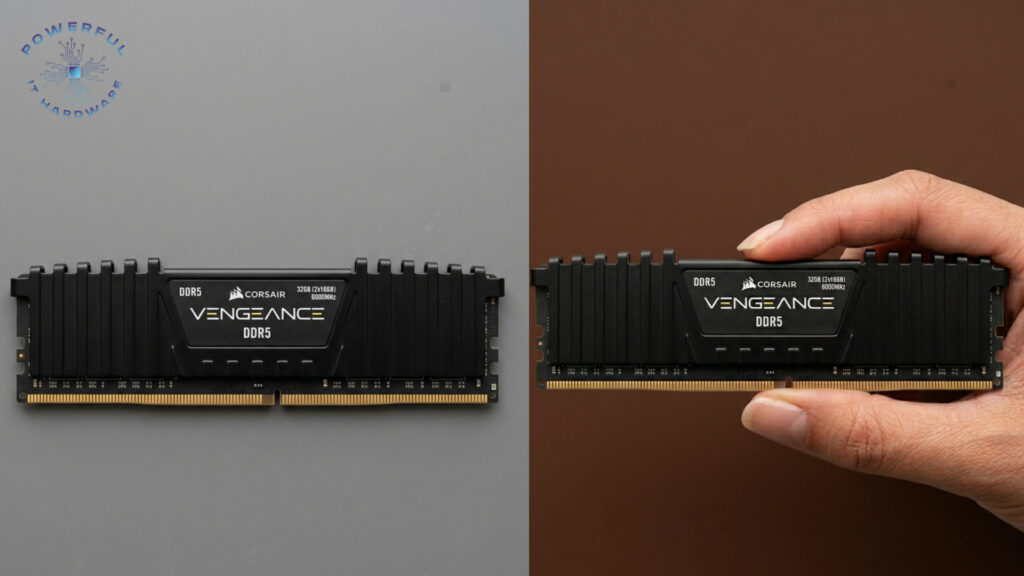
The most immediate barrier to cross-compatibility is the physical design of the memory module itself, specifically the printed circuit board (PCB) layout. Laptop RAM, technically known as Small Outline Dual In-Line Memory Module (SO-DIMM), is roughly half the width of standard desktop DIMMs. This compact design is engineered to fit the slim chassis of portable computers where space is at a premium. Consequently, the notches on the connector edge are positioned differently, meaning a SO-DIMM physically cannot be seated into a desktop DIMM slot. This reality confirms why inquiries about whether can i use laptop ram in pc setups usually end with a negative answer, as the shape simply does not fit.
For wholesale distributors and system builders, this physical distinction dictates separate inventory streams and clear labeling protocols. Mixing these SKUs can lead to logistical nightmares and increased return rates, particularly when dealing with large-scale deployment for corporate clients. The physical incompatibility is absolute; no amount of software tweaking or driver updates can overcome the mechanical reality that the keys and pins do not align. This necessitates a rigorous quality control process during the kitting of PC builds to ensure that only the correct form factors reach the assembly line.
Ultimately, the answer to can i use laptop ram in pc is strictly no regarding the physical connection, and attempting to do so risks damage. Furthermore, when clients ask can i use laptop ram on pc, suppliers must clarify the physical constraints. The form factor difference effectively answers can i use laptop ram on pc immediately.
Furthermore, the trend towards miniaturization in desktop builds, such as Small Form Factor (SFF) PCs and All-in-One units, has actually increased the relevance of SO-DIMMs in certain desktop contexts. However, this requires specific motherboard designs that accommodate the smaller footprint. Standard ATX motherboards found in the majority of business towers do not support these smaller modules. Therefore, understanding the chassis and motherboard specifications is a prerequisite for any memory procurement strategy, ensuring that the physical dimensions of the RAM match the slot requirements of the target hardware.
1.2. Why Voltage and Power Requirements Vary Between Form Factors
Beyond physical dimensions, the electrical characteristics of laptop and desktop RAM differ significantly, often making them incompatible even if physical adapters were available. SO-DIMMs are generally designed to operate at lower voltages to conserve battery life and reduce heat generation within the tight confines of a laptop chassis. For instance, DDR4 laptop memory frequently runs at 1.2 volts, which is standard for efficiency. While some desktop memory can operate at similar low voltages, many performance-oriented desktop modules require higher voltages, such as 1.35V or 1.5V, to achieve stability at higher clock speeds. This leads many to wonder if can i use laptop ram in pc environments without facing electrical issues.
Integrating a lower voltage module into a system designed for higher power delivery might result in instability, while conversely, placing a high-voltage module into a low-voltage circuit could cause permanent damage. For businesses managing IT assets, ensuring voltage compatibility is a critical aspect of hardware lifecycle management. Wholesale procurement teams must pay close attention to the voltage specifications listed on the datasheets to prevent power mismatches that could fry sensitive components. This is particularly important when clients ask, can i use laptop ram in pc setups, as the answer involves strict electrical safety protocols. Furthermore, the issue of voltage confirms why the question can i use laptop ram in pc is technically problematic.
The shift towards DDR5 technology has introduced even more complex power management architectures, with PMICs (Power Management Integrated Circuits) now located on the memory modules themselves. Industry insights for 2025 suggest that while operating voltages are standardizing, the initial power spikes and signaling requirements remain distinct between form factors. Consequently, relying on a “one size fits all” approach to memory stocking is inadvisable. Custom solutions that tailor the voltage profile of the RAM to the specific motherboard platform ensure maximum reliability and longevity for professional workstations. Ultimately, the answer to can i use laptop ram in pc scenarios remains negative due to these critical power differences.
1.3. How Architectural Differences Impact Signal Integrity and Performance
The internal architecture of memory controllers has evolved, yet the fundamental requirements for signal trace length and impedance matching remain distinct for laptops versus desktops. Laptop motherboards have much shorter trace lengths between the RAM slots and the CPU, which allows for tighter timing tolerances. Desktop motherboards, with their larger surface area, have longer traces that require different electrical load characteristics. While the logical protocol (e.g., DDR4 or DDR5) may remain the same, the physical layer signaling is optimized for the specific trace length and impedance of the target form factor. This distinction is a primary reason why inquiries about whether can i use laptop ram on pc are technically resolved with a no.
When businesses consider upgrading existing fleets, they must understand that high-performance SO-DIMMs are optimized for the thermal and electrical environment of a laptop, not a desktop motherboard. Even if an adapter were used to bridge the form factor gap, the signal degradation caused by impedance mismatch could lead to data corruption, system crashes, and reduced memory bandwidth. The risk of instability reinforces why can i use laptop ram on pc is not recommended for professional environments. Furthermore, asking can i use laptop ram on pc ignores these complex signal integrity issues. Ultimately, the architectural limitations serve as a definitive answer to can i use laptop ram on pc for critical infrastructure.
Recent 2025 market data highlights that performance discrepancies between mobile and desktop memory are widening, particularly with the advent of overclockable modules for desktops. Desktop platforms offer more extensive BIOS options for tuning voltage and timings, capabilities that are often locked or limited on laptop-compatible modules. This architectural divergence means that simply adapting a laptop stick for desktop use would result in suboptimal performance, negating any potential cost savings. System integrators must prioritize native compatibility to unlock the full performance potential of the hardware, ensuring that clients receive the computing power they have paid for.
1.4. Which Generations of RAM Are Compatible Across Different Devices
Despite the physical and electrical barriers, there is a layer of compatibility regarding the technology generation itself. Both laptops and desktops utilize the same underlying memory standards, such as DDR4 and the newer DDR5. A DDR4 SO-DIMM and a DDR4 DIMM share the same logical protocol and transfer technology, meaning they communicate data in the same language. However, this does not imply interchangeability; it simply means that the technology generation is consistent across form factors. For example, you cannot use a DDR3 module in a DDR5 slot regardless of whether it is for a laptop or a PC, which is a key point when addressing if can i use laptop ram on pc.
Understanding this distinction is crucial for wholesale inventory planning. As the market transitions fully to DDR5 in 2026, older DDR3 and DDR4 stocks are being phased out, but their form factors remain distinct. Buyers must be vigilant to ensure they are purchasing the correct generation and the correct form factor. A common error in procurement is ordering the correct technology generation but the wrong physical type, leading to delays in deployment. This emphasizes the need for detailed product descriptions and vigilant SKU management to prevent the mixing of incompatible generations within the same supply chain. Ultimately, asking can i use laptop ram on pc highlights the need to verify both generation and form factor.
Looking ahead, industry forecasts predict that DDR6 will be on the horizon by late 2026, further pushing the boundaries of data transfer rates. While the pin layouts and keying will inevitably change, the segregation between SO-DIMM and DIMM form factors will persist. For enterprises planning long-term hardware refreshes, focusing on procurement strategies that align with these roadmap milestones is essential. The question of can i use laptop ram on pc will likely persist with future generations.
Partnering with suppliers who offer clear roadmaps and guaranteed availability of specific generations and form factors allows businesses to future-proof their investments and avoid the pitfalls of a rapidly changing market. Clearly, the issue of can i use laptop ram on pc involves navigating these evolving standards carefully.
2. How to Analyze Compatibility Issues and Risks
2.1. Why Physical Adapters Fail to Bridge the RAM Gap Effectively
A common misconception in the DIY and small business repair community is that a simple physical adapter can allow a SO-DIMM to function in a desktop DIMM slot when people ask can i use laptop ram on pc. While passive adapters do exist in the market, they are notoriously unreliable and do not address the electrical signaling differences inherent in the memory controllers. These adapters essentially act as extenders, routing the pins from the smaller module to the larger slot. However, they introduce additional points of failure, contact resistance, and signal interference, which can lead to the system failing to POST (Power On Self Test).
For professional IT environments, and for many technicians asking can i use laptop ram on pc, relying on such adapters is a significant liability. The risk of intermittent faults, which are difficult to diagnose and can cause data loss, far outweighs the minor cost saving of reusing laptop memory. In a wholesale context, offering or recommending these adapters can damage a supplier’s reputation for quality and reliability. Instead, the focus should remain on providing native solutions that meet the specific requirements of the hardware. Ensuring system integrity is paramount, and using jury-rigged hardware solutions compromises the professional standards expected in B2B operations.
Moreover, the BIOS of a desktop motherboard is programmed to initialize specific memory configurations and timings based on standard JEDEC guidelines for desktop modules. When an adapter is introduced, the BIOS may fail to correctly recognize the SPD (Serial Presence Detect) information on the laptop module. This can result in the system defaulting to safe, slower speeds or failing to boot entirely. For 2025 enterprise deployments where uptime is critical, eliminating variables that could cause instability is a key part of asset management. Relying on native compatibility rather than adapters ensures a stable, supportable hardware configuration. This is especially true when users wonder can i use laptop ram on pc.
2.2. How System Instability Affects Business Productivity and Data Integrity
The primary risk of attempting to force incompatible memory into a system, especially when users ask can i use laptop ram on pc, is systemic instability, manifesting as random reboots, Blue Screen of Death (BSOD) errors, or application crashes. In a business setting, these interruptions are more than just annoyances; they represent a direct loss of productivity and potential data corruption. For industries such as finance, design, or healthcare, where data integrity is sacrosanct, the use of non-standard hardware configurations is a severe risk.
A single memory error can render hours of work useless or compromise critical database records, which is why questions like can i use laptop ram on pc must be evaluated carefully. In fact, can i use laptop ram on pc becomes a critical compatibility concern rather than a simple hardware query in professional environments.
The impact on productivity extends beyond the immediate crash. Troubleshooting intermittent hardware issues consumes valuable IT man-hours that could be better spent on strategic initiatives. When a business experiments with mismatched or adapted RAM after asking can i use laptop ram on pc and attempting workarounds, the troubleshooting process becomes exponentially more complex, as standard diagnostic tools may not flag the incompatibility immediately. This opacity leads to extended downtime and increased total cost of ownership (TCO). Wholesale buyers and IT managers must prioritize hardware homogeneity to streamline maintenance and reduce the mean time to repair (MTTR) across their computer fleets.
Furthermore, as software applications become increasingly resource-intensive in 2025, the margin for error in hardware stability narrows. Advanced operating systems and professional software suites utilize memory management features that rely on precise hardware timing. Instability caused by sub-optimal memory integration—often attempted when users experiment with can i use laptop ram on pc—can trigger cascading failures in complex workflows. Therefore, ensuring that the RAM installed in every machine is certified for that specific motherboard and CPU combination is a fundamental best practice for maintaining high levels of business continuity and operational efficiency.
2.3. Which Warranty and Support Implications Arise from Misuse
Using components outside of their intended specifications, especially when users ask can i use laptop ram on pc, such as installing laptop RAM in a desktop via an adapter or modification, almost invariably voids manufacturer warranties. Both the memory manufacturer and the motherboard vendor will likely refuse service for damage caused by misuse or improper installation. For small to medium-sized businesses (SMBs) that rely on standard warranty coverage to protect their hardware investments, this is a critical consideration. Voiding the warranty on a fleet of workstations due to improper RAM selection after questioning can i use laptop ram on pc exposes the company to significant financial risk should hardware failures occur.
In the realm of wholesale and enterprise procurement, service level agreements (SLAs) often dictate specific hardware configurations to ensure validity of support contracts. Deviating from these approved configurations by using incompatible memory modules after considering can i use laptop ram on pc can invalidate SLAs with third-party maintenance providers. This leaves the business without a safety net for critical hardware failures. Professional IT procurement policies must explicitly forbid the use of non-standard components, and repeated evaluation of can i use laptop ram on pc in procurement decisions highlights the importance of sticking to certified configurations to maintain the integrity of these support agreements and ensure that vendor assistance remains available when needed.
Looking toward 2026, we see a trend where vendors are using more sophisticated firmware checks to validate hardware components at the boot level. These security features, designed to prevent supply chain attacks, make the question can i use laptop ram on pc increasingly relevant as compatibility restrictions tighten. This also means that using cross-form-factor memory becomes even less viable. To ensure ongoing support and warranty coverage, businesses must avoid repeatedly attempting solutions based on can i use laptop ram on pc and instead adhere strictly to the vendor’s compatibility lists and procure memory modules that are fully compliant with the system’s original design specifications.
2.4. How Custom Memory Solutions Mitigate Compatibility Risks
Rather than attempting to retrofit incompatible components, especially when organizations still ask can i use laptop ram on pc, the most effective strategy for businesses is to leverage customized memory solutions tailored to their specific hardware configurations. Reputable wholesale memory suppliers offer customization services that pre-configure modules with specific timings, voltages, and densities to match exact motherboard models. This approach eliminates the guesswork and risks associated with off-the-shelf procurement and repeated uncertainty around can i use laptop ram on pc. By working closely with a supplier who understands the technical nuances of both laptop and desktop ecosystems, businesses can ensure 100% compatibility and optimal performance, without needing to revisit questions like can i use laptop ram on pc.
Customization also extends to branding and logistical requirements, which is vital for large-scale deployments. For instance, a wholesaler can supply memory modules with custom heat spreaders or specific branding for OEM clients, alongside the assurance that the internal chips are graded for the target environment. This level of service adds value beyond the mere commodity of the memory chips and removes the need for trial-based decisions such as can i use laptop ram on pc. It provides a turnkey solution that integrates seamlessly into the client’s supply chain, reducing installation time and minimizing the need for on-site technical troubleshooting during rollouts, especially in cases where teams might otherwise experiment with can i use laptop ram on pc.
The 2025 market is seeing increased demand for “white-label” customized hardware solutions where the memory is validated for specific industry verticals, such as point-of-sale systems or industrial control units. These specialized environments often have unique cooling and space constraints that standard retail memory cannot address, making repeated consideration of can i use laptop ram on pc unnecessary and risky. By utilizing customized memory solutions, businesses can address these specific challenges without resorting to such compatibility experiments. This proactive approach to hardware selection safeguards operational integrity and ensures that the IT infrastructure is robust enough to handle professional workloads, without ever needing to test can i use laptop ram on pc in real-world deployments.
3. Which Wholesale and Customization Strategies Are Best for 2025-2026
3.1. Why Bulk Procurement Needs to Segregate Form Factors Clearly
For wholesale buyers managing large-scale IT projects, the segregation of inventory into distinct SO-DIMM and DIMM categories is a logistical imperative. As the volume of memory procurement increases, so does the probability of picking errors if the SKUs are not clearly differentiated, especially when teams frequently question can i use laptop ram on pc during sorting or planning.
Mixing laptop and desktop memory in a warehouse can lead to significant operational inefficiencies, increased returns, and project delays, particularly when uncertainty like can i use laptop ram on pc is not addressed at the procurement stage. Implementing strict inventory management protocols that physically and digitally separate these form factors is essential for maintaining a smooth supply chain and avoiding repeated issues tied to can i use laptop ram on pc.
The complexity is compounded by the fact that different generations of RAM (DDR4 vs. DDR5) within the same form factor also require distinct storage and handling protocols. A sophisticated warehouse management system (WMS) must be employed to track not just the capacity and speed of the memory, but also its form factor and generation, preventing confusion that often leads staff to ask can i use laptop ram on pc when items are misidentified.
For B2B clients, clear segregation at the supplier level translates to faster deployment times at their end, as they can trust that the delivered stock is ready for immediate integration without needing to revisit concerns like can i use laptop ram on pc or perform time-consuming verification checks.
Furthermore, market trends indicate that as DDR5 becomes the standard in 2025 and 2026, the price premium on this technology will fluctuate. Wholesale buyers need to strategize their inventory holdings based on these market movements while strictly maintaining form factor separation, instead of relying on assumptions driven by queries such as can i use laptop ram on pc. By clearly categorizing stock, buyers can make informed decisions about bulk purchasing, taking advantage of price dips for specific form factors without risking cross-contamination of their inventory or repeated uncertainty around can i use laptop ram on pc. This disciplined approach is the hallmark of a professional hardware procurement strategy.
3.2. How Market Trends in 2025 Influence Bulk Buying Decisions
The memory market in 2025 is characterized by a stabilization in supply chains following the disruptions of previous years, coupled with an increase in demand for high-bandwidth memory (HBM) and next-generation DDR5 modules. Industry analysts predict a steady rise in demand for both laptop and desktop memory as enterprise refresh cycles accelerate post-2024. For wholesale buyers, this means that securing long-term contracts with reliable manufacturers is crucial to lock in pricing and ensure availability. Bulk buying decisions should be informed by these macro trends, focusing on acquiring the latest standards to future-proof inventory.
Another significant trend is the consolidation of memory manufacturers, leading to a narrower range of suppliers but higher quality control standards. Wholesale strategies must adapt by cultivating deep relationships with these major vendors to gain priority access to high-demand batches. Additionally, the shift towards AI-capable hardware in enterprise environments is driving demand for higher capacity and faster memory modules. Buyers should prioritize stocking SKUs that meet these higher performance thresholds, particularly in the desktop sector where AI workloads are more prevalent.
Looking towards 2026, the anticipated introduction of consumer-grade AI PCs will further shape buying patterns. These machines will require specific types of high-performance memory to function correctly. Wholesale buyers who anticipate this demand can secure a competitive advantage by stocking the correct form factors and specifications well in advance. This forward-looking approach ensures that their inventory remains relevant and desirable as the market shifts towards more intelligent and computationally intensive hardware platforms.
3.3. Which Customization Services Offer the Best ROI for Resellers
Value-added services (VAS) such as memory customization, pre-testing, and laser etching offer substantial returns on investment (ROI) for resellers targeting the B2B sector. Customization allows resellers to differentiate themselves from commodity competitors who only sell generic, off-the-shelf products. By offering services like programming specific SPD values or bundling memory with compatible accessories, resellers can command higher margins and foster stronger client loyalty. The ROI is realized through reduced technical support calls and higher customer satisfaction rates, as the customized product fits the client’s needs perfectly out of the box.
One particularly lucrative customization service is burn-in testing, where memory modules are stress-tested under load conditions before shipment. This ensures that every module delivered to the client is defect-free and stable. For high-stakes environments like data centers or financial trading floors, this guaranteed reliability is worth a premium. Resellers who can offer this level of assurance position themselves as partners in their clients’ success rather than mere vendors. This strategic positioning is key to long-term business growth in a competitive wholesale market.
Additionally, cosmetic customization, such as custom branding or heat spreaders with the client’s logo, adds significant perceived value. In 2025, as businesses increasingly focus on brand consistency across all their assets, including internal hardware, the demand for such services is growing. By integrating these customization capabilities, wholesalers can tap into new revenue streams while providing a bespoke service that cements client relationships. The minimal cost involved in customization is vastly outweighed by the higher price points and customer retention rates it generates.
3.4. How to Leverage 2026 Insights for Long-Term Inventory Planning
Forecasting inventory needs requires a keen understanding of the technological roadmap extending into 2026. Industry insiders suggest that the latter half of 2026 will see the preliminary rollout of DDR6 technology in specialized markets, alongside a massive saturation of high-capacity DDR5 in the general enterprise market. For wholesale planners, this signals the need to carefully phase out legacy stock (DDR3/DDR4) to avoid obsolescence. Inventory strategies should focus on a “just-in-time” transition to newer technologies, ensuring that stock levels of older memory are minimized as demand wanes.
Sustainability is also becoming a core component of procurement strategies. By 2026, regulations regarding e-waste and sustainable sourcing will be stricter across major markets. Wholesale buyers must prioritize sourcing memory from manufacturers that adhere to environmentally responsible production processes and offer take-back programs for old modules. Planning inventory with these sustainability goals in mind not only ensures compliance with future regulations but also appeals to the growing segment of eco-conscious corporate clients who prioritize green procurement policies.
Finally, the geopolitical landscape of semiconductor manufacturing will continue to influence supply chain resilience. Diversifying supply sources to include multiple geographic regions can mitigate risks associated with tariffs or trade restrictions. By leveraging 2026 market insights to build a resilient, diversified, and technologically current inventory, wholesale businesses can ensure they remain agile in the face of market volatility. This strategic foresight is the ultimate tool for maintaining a competitive edge in the fast-paced world of computer hardware distribution.
4. How to Navigate the Buying Process for Professional Audiences
4.1. Why Defining Specific Technical Requirements is Crucial
For professional IT managers and procurement officers, the first step in the buying process is the precise definition of technical requirements. Vague specifications such as “fast RAM” or “large capacity” are insufficient for professional deployment and often lead to compatibility issues. Buyers must identify the exact form factor (DIMM vs. SO-DIMM), generation (DDR4/DDR5), capacity (GB), speed (MHz), and CAS latency required by their systems. This precision is the foundation of a successful procurement strategy and eliminates the ambiguity that often results in the mistaken purchase of incompatible components.
The necessity for precision is heightened when dealing with mixed hardware environments. An organization might run a fleet comprising both traditional desktop towers and small form factor mini-PCs that utilize laptop memory. Without a clear delineation of requirements for each machine type, the risk of cross-ordering increases significantly. Professional procurement teams must maintain detailed hardware inventories that specify the exact memory type for each model in their fleet. This data-driven approach ensures that purchase orders are automated or generated based on verified compatibility data, reducing human error.
Moreover, defining requirements goes beyond just the numbers; it involves understanding the workload profile of the intended user. For graphic designers and video editors, bandwidth and capacity are prioritized, whereas for general office tasks, reliability and cost-effectiveness may take precedence. By aligning the technical specifications of the RAM with the specific use case, businesses can optimize their hardware spend. This ensures that high-performance, expensive memory is only deployed where it is actually needed, maximizing the efficiency of the IT budget across the organization.
4.2. How to Vet Suppliers for Authenticity and Quality Control
In a market flooded with counterfeit and re-marketed components, vetting suppliers for authenticity is a critical skill for wholesale buyers. Fake memory modules, often programmed to report a higher capacity than they physically possess, can cause catastrophic data loss and system instability. Professional buyers must insist on suppliers who provide traceability for their products, ideally sourcing directly from major manufacturers like Samsung, Micron, or SK Hynix. A reputable supplier will offer warranties that are backed by the original manufacturer, providing a safety net against defects.
Quality control (QC) processes are another vital criterion when selecting a supplier. Top-tier wholesalers employ rigorous testing protocols, including automated testing equipment that checks for functionality and speed compliance. Buyers should ask for documentation regarding the supplier’s QC procedures or request a third-party audit of their stock. This due diligence is particularly important when engaging with new suppliers or when ordering large batches of memory. Ensuring that every module has passed a comprehensive burn-in test before shipping is a standard that professional buyers should not compromise on.
Building a partnership with a supplier who understands the B2B landscape is equally important. The best suppliers act as consultants, offering advice on compatibility and market trends rather than simply pushing product. They should be able to provide technical datasheets and compliance certificates (RoHS, CE) upon request. By establishing a relationship with a supplier who prioritizes transparency and quality, businesses can secure a reliable supply chain that protects them from the risks associated with substandard or counterfeit hardware components.
4.3. Which Logistics and Fulfillment Options Suit Large-Scale Deployments
When deploying hardware across multiple locations or across a global enterprise, logistics and fulfillment options become as important as the product itself. Standard shipping often fails to meet the tight deadlines of large-scale rollouts. Professional buyers should look for wholesalers who offer flexible logistics solutions, including warehousing, drop-shipping, and scheduled delivery. These services allow the memory modules to arrive exactly when needed, reducing the need for onsite storage and minimizing the risk of loss or theft before installation.
Kitting services are another logistical asset that can streamline the deployment process. A supplier can aggregate memory modules with other components—such as CPUs, SSDs, or motherboards—into a single package tailored for a specific build. This pre-assembly step saves valuable technician time at the deployment site, as the components arrive ready for installation. For large-scale refresh projects involving hundreds or thousands of machines, the time savings achieved through kitting translate into significant labor cost reductions and a faster completion of the IT rollout.
Furthermore, advanced shipment tracking and inventory visibility are essential for managing complex deployments. Wholesale suppliers with robust e-commerce platforms should provide real-time tracking and inventory updates. This visibility allows IT managers to coordinate installation teams efficiently, ensuring that technicians are on-site only when the components have arrived. Coordinating logistics with precision ensures that large-scale projects remain on schedule and within budget, reinforcing the value of a strategic wholesale partnership.
4.4. Why After-Sales Support Drives Long-Term Business Partnerships
The relationship between a buyer and a wholesaler does not end at the point of sale; after-sales support is a critical determinant of long-term partnership value. Technical issues can arise despite the best quality control measures, and the speed with which a supplier resolves these issues can impact a business’s operations. A professional wholesaler should offer a responsive RMA (Return Merchandise Authorization) process, with clear policies and quick turnaround times for defective replacements. This support minimizes downtime and ensures that faulty hardware does not stall business operations.
Beyond handling returns, value-added after-sales support includes technical consultation and firmware updates. Suppliers who proactively inform their clients about known issues, BIOS updates, or compatibility patches demonstrate a commitment to their clients’ success. For example, if a specific motherboard requires a BIOS update to support a new high-capacity memory module, a proactive supplier will communicate this information immediately. This level of service transforms the supplier from a mere vendor into a strategic partner who contributes to the stability of the client’s IT environment.
Finally, dedicated account management is a hallmark of superior after-sales service in the wholesale sector. Having a single point of contact who understands the specific needs and history of the business streamlines communication and ensures that future orders are handled with context and accuracy. As businesses scale and their needs evolve, a supplier with strong account management can proactively suggest upgrades and inventory adjustments. This ongoing support fosters trust and loyalty, making it easier for businesses to plan their future hardware procurement strategies with confidence.
Conclusion
The technical reality of computer architecture dictates that while laptop and desktop RAM share the same underlying technology generations, they remain physically and electrically incompatible. Attempting to use laptop RAM in a PC is not feasible without significant risk to system stability and warranty validity. For businesses and professional users, adhering to the correct form factors—SO-DIMM for laptops and DIMM for desktops—is the only reliable path to optimal performance. As we look towards the technological advancements of 2025 and 2026, the distinction between these components will remain a fundamental aspect of IT hardware management.
Navigating this landscape requires a strategic approach focused on wholesale procurement and customized solutions. By understanding the specific technical requirements of their hardware fleets and partnering with suppliers who offer rigorous quality control and logistical support, businesses can avoid the pitfalls of incompatibility. The market trends point towards increasing complexity in memory standards, making professional expertise more valuable than ever. Investing in the right components from the start is far more cost-effective than attempting to retrofit incompatible hardware.
To ensure your business is equipped with the most reliable and compatible memory solutions, look no further than our comprehensive wholesale and customization services. We specialize in providing enterprise-grade hardware tailored to your exact specifications, backed by industry-leading warranties and expert technical support. Do not let compatibility issues slow down your operations. Contact our sales team today to discuss your specific requirements and discover how our customized memory solutions can enhance your productivity and future-proof your IT infrastructure.
Frequently Asked Questions
1. Why is it physically impossible to use laptop RAM in a standard desktop motherboard slot?
The primary barrier is the physical design known as the form factor. Laptop RAM uses a SO-DIMM (Small Outline Dual In-Line Memory Module) design, which is roughly 50% narrower than the DIMM (Dual In-Line Memory Module) used in desktops. The connector notches, or “keys,” on SO-DIMMs are cut into different positions compared to standard DIMMs. This intentional design prevents the smaller laptop memory from being inserted into the larger desktop slot, ensuring that users cannot physically force a connection that would result in electrical damage.
2. How do voltage requirements differ between laptop and desktop RAM modules?
Laptop RAM is generally engineered for power efficiency to prolong battery life and minimize heat generation in confined spaces. Consequently, SO-DIMMs typically operate at lower voltages, such as 1.2V for DDR4. While many modern desktop modules also support low voltages, they often require higher voltages, like 1.35V or 1.5V, to maintain stability at higher clock speeds. Supplying a voltage that does not match the module’s specification can lead to system instability or permanent hardware damage, making the two types electrically distinct.
3. Can I use a hardware adapter to make laptop RAM compatible with a PC?
While passive adapters physically exist on the market, they are highly unreliable and strongly discouraged for professional use. These adapters do not reconcile the electrical signaling differences or the BIOS requirements between the memory controller and the module. Using such adapters frequently results in the system failing to boot, random data corruption, or Blue Screen of Death (BSOD) errors due to signal integrity issues. For enterprise environments, the risk of downtime and data loss far outweighs any minor cost saving from reusing laptop components.
4. Which type of RAM should I buy for a Small Form Factor (SFF) desktop PC?
Small Form Factor desktops often utilize motherboards that are physically smaller, similar to those found in laptops. Therefore, many SFF and All-in-One (AiO) PCs actually require SO-DIMM (laptop) memory rather than standard desktop DIMMs. It is critical to consult the specific technical manual of the PC chassis and motherboard before purchasing. Wholesale buyers should pay close attention to these specifications to ensure they stock the correct form factor for compact business workstations.
5. How does attempting to use incompatible RAM affect my manufacturer’s warranty?
Installing memory that is not explicitly supported by the motherboard manufacturer, such as forcing a laptop module into a desktop via unauthorized means, will almost certainly void the warranty. Both the motherboard and the memory manufacturers reserve the right to deny service for damage caused by misuse or improper installation. For businesses relying on hardware warranties to protect their IT investments, strictly adhering to the vendor’s compatibility lists is essential to maintain coverage and avoid incurring significant replacement costs.
6. Why is the distinction between DDR4 and DDR5 important regardless of form factor?
Even if you correctly identify the form factor (SO-DIMM vs. DIMM), the technology generation must also match the motherboard. A DDR4 module will not function in a DDR5 slot, and vice versa, due to differences in pin layouts and signaling protocols. As the industry transitions fully to DDR5 in 2025 and beyond, mixing generations is a common procurement error. Buyers must verify that the memory generation aligns perfectly with the CPU and motherboard specifications to ensure system bootability and performance.
7. How can wholesale buyers avoid purchasing the wrong memory form factor?
Wholesale buyers should implement strict inventory management protocols that physically and digitally segregate SO-DIMM and DIMM stock. Utilizing a sophisticated Warehouse Management System (WMS) to track specifications beyond just capacity—such as form factor, generation, and voltage—is crucial. Additionally, sourcing from suppliers who offer detailed SKUs and clear labeling helps mitigate picking errors. Establishing a quality control process to verify specifications upon receipt can prevent incompatible stock from reaching the assembly line or the end customer.
8. What are the performance risks of using laptop RAM in a desktop environment?
Even if a connection could be established, performance would likely be suboptimal. Laptop memory is optimized for the thermal constraints and shorter trace lengths of portable computers. Using it in a desktop environment with longer electrical traces can lead to signal degradation, resulting in lower data transfer rates and higher latency. Furthermore, desktop motherboards often offer advanced BIOS features for overclocking and tuning that are incompatible with laptop modules, meaning the business would not be getting the full value or performance potential of the hardware.
9. Which customization services help ensure RAM compatibility for large deployments?
The most effective customization service for ensuring compatibility is pre-configuration testing, where modules are validated against specific motherboard models. Suppliers can also program specific SPD (Serial Presence Detect) values to ensure the RAM runs at the exact speed and voltage required by the client’s hardware. Additionally, services like laser etching with part numbers or branding help in inventory management, preventing mix-ups between laptop and desktop stock during large-scale rollouts.
10. How should businesses plan their memory procurement for 2025 and 2026?
Businesses should focus on securing reliable supply chains for the latest standards, specifically DDR5, while phasing out legacy DDR3 and DDR4 stock. With the anticipated market shift towards AI-capable hardware and the eventual introduction of DDR6 in 2026, procurement strategies must prioritize future-proofing. This involves working with wholesalers who offer market insights and roadmaps, allowing businesses to transition their inventory smoothly and ensure that the memory they buy today remains supported and relevant in the coming years.